iLan at his desk in a studio with server racks, a camera and a studio light, a golden halo above his head, a cognac leather sofa under a window onto the Pacific sunset

The Mac Messiah

We put the byte back into the apple™.

More than 30 years of Apple consulting, for creative studios, filmmakers, law and finance offices, and homes across Los Angeles. Networks, security, mail, iPhones and the Macs that make your money, set up right and kept that way.

Three kinds of people call me

Same Apple gear, very different stakes. Pick the door that sounds like you.

Creatives

Editors, colorists, composers, photographers, podcasters, small post houses

  • DaVinci Resolve specialist: editing, color, Fairlight and project troubleshooting
  • Workstations tuned for Resolve, Final Cut Pro, Logic Pro and Pro Tools
  • Shared storage and NAS that doesn't choke on 4K and 8K
  • Media management, backups and archives so the footage survives

Offices

Law firms, accountants, financial advisors, therapists, medical practices

  • Encrypted Macs and iPhones, managed and locked down remotely
  • Secure business email, spam and phishing defense
  • Firewalls, Wi-Fi and backups ready for the audit question

Home and family

Home offices, families, anyone whose Wi-Fi has opinions

  • Whole-home Wi-Fi that reaches the back bedroom
  • New Mac or iPhone setup and moving everything over
  • Photos, passwords and backups sorted before they're lost

For filmmakers: from picture lock to the sound house

Your cut is locked, and now the colorist and the sound house want clean, organized media. I prepare your DaVinci Resolve project so it arrives ready to work on, not ready to be billed for cleanup. Every film is different, so post prep is quoted per project.

Post prep, step by step

  1. Organize the timelineClean tracks, consistent naming, unused clips and stray effects removed.
  2. Gather and relink sourcesEvery clip pointing to the correct original media, offline and proxy problems solved.
  3. Identify and clean soundDialogue, ambience, music and effects sorted onto their own tracks, noisy material flagged and cleaned.
  4. Register timecodeClip timecodes logged so the colorist and mixer can conform without guessing.
  5. Clearance paperworkMusic, archival and licensed material listed, with the documentation distributors ask for.
  6. Preliminary mix and color passA balanced temp mix and a first grade, so screenings and festival submissions look and sound finished.
  7. DeliverAAF or XML and stems for the sound house, a clean project for the colorist, and backups of everything.

Resolve trouble I fix

  • Media offline and broken links after moving drives
  • Missing plug-ins and effects that block renders
  • Corrupted projects and project database problems
  • Stuttering playback, cache and optimized media setup
  • Export and render failures, codec and delivery specs
  • Fairlight audio routing, sync drift and timecode issues
  • Storage, NAS and backup built around your footage
I edited and colored my own feature documentary, Holy Ghetto, in DaVinci Resolve. It earned me Best Director at the Indiewood Film Festival and screened at the TCL Chinese Theatre. I know where a project breaks because I've fixed mine.

Talk about your filmSee Holy Ghetto

What I fix, build and protect

More than thirty years on Apple systems, from a single MacBook to campus networks. One person who understands the whole chain, from the router to the render.

Network and security

Firewalls, routers, mesh Wi-Fi, VPNs for remote staff, guest networks that stay separate, and a security review in plain English.

Mail and servers

Business email on your own domain, migrations without lost messages, file servers, shared calendars and contacts that actually sync.

Mobile devices

iPhone and iPad setup at scale, device management, lost-phone lockdown, and clean handoff when someone leaves the team.

Multimedia workstations

Mac Studio and Mac Pro builds, storage and RAID, color-managed displays, audio interfaces and plug-ins that behave.

Data recovery

Deleted files, failed drives, corrupted volumes. Recovery runs in a clean, isolated environment so nothing gets overwritten, In some cases, the drive may need to be sent to a third-party partner for recovery; fees are in addition.

Backups that work

Automatic backups on site and off, tested restores, and a written plan for the day a drive dies.

Migrations and mixed offices

PC to Mac, old Mac to new Mac, Intel to Apple silicon. Plus Macs and Windows machines sharing printers, files and accounts without fighting.

Training

Hands-on sessions for teams and individuals, built around your real work, not a generic manual.

What's going wrong?

Tap the closest symptom. You'll see what I'd check first and where to start.

Care plans

Most problems are cheaper to prevent than to fix. A monthly plan keeps your systems watched, patched and backed up, with priority when something breaks.

Free 15-minute discovery call

Not sure what you need? Tell me what's going on. I'll listen, ask the right questions and tell you honestly what it takes, whether that's a quick fix, a plan, or nothing at all. No cost, no obligation.

Book your free call

Spot rescue

$150 per hour
  • Remote: 1-hour minimum
  • On site: 2-hour minimum
  • No contract
Book a visit

Studio and home care

$250 per month
  • 2 hours of remote support included
  • On-site visits $150/hr, 2-hour minimum
  • Up to 5 devices monitored
  • Updates and backups checked monthly
  • Next-business-day response
Start a plan

Office care

$649 per month
  • 3 hours of remote support included
  • On-site visits $150/hr, 2-hour minimum
  • Up to 15 users
  • Device management and encryption
  • Security review every quarter
  • Same-day response
Talk about your office

Project-based work

Some jobs don't fit an hourly rate or a monthly plan: film post prep before the sound house and colorist, a new office setup, a large migration or data recovery. For these I quote a fixed project price after a free discovery call, so you know the full cost before any work starts.

Get a project quote

On-site visits carry a 2-hour minimum on every plan. In some cases, a drive may need to be sent to a third-party partner for recovery; fees are in addition.

How it works

1

Call or write

Tell me what's broken or what you're planning. I'll reply the same business day.

2

Assessment

I look at the whole setup, not just the symptom, and give you a clear quote.

3

The fix

On site in Los Angeles or remotely, with as little downtime as possible.

4

Stay covered

Optional care plan so it stays fixed, with notes on everything I changed.

Trusted by people who can't afford downtime

A partial list of organizations served over the years, many under the name OneWorld Consulting Group in Boston.

Apple certifications earned

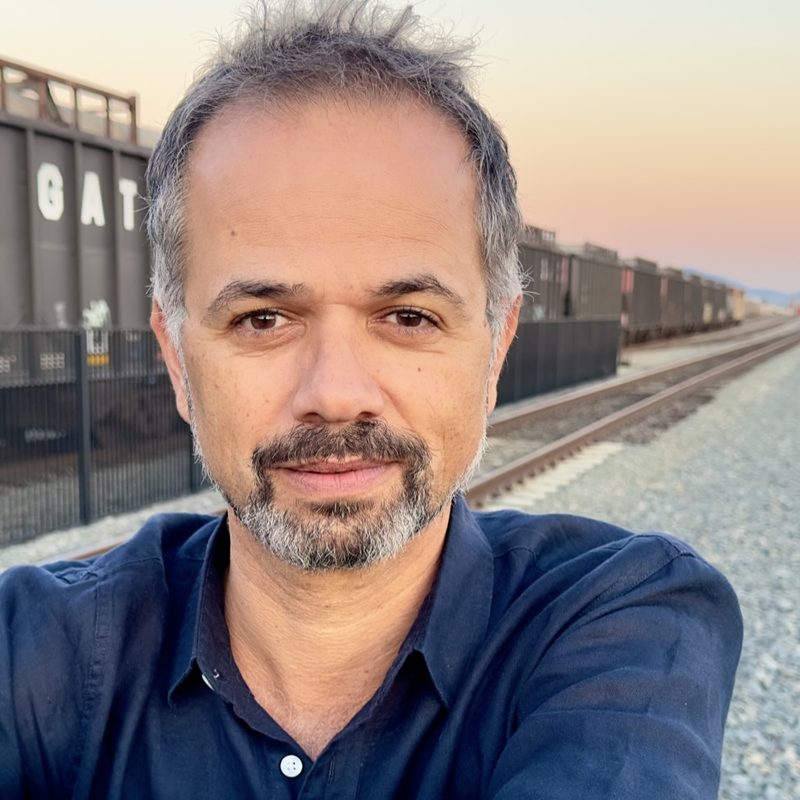
    iLan in a navy shirt at dusk

    Filmmaker. Musician. Systems engineer. More than thirty years mastering every side of the screen.

    I'm iLan. For more than thirty years I've built Apple systems, from campus networks at Harvard and the Pomona Colleges to the edit bays of production companies. In the same years I directed, shot, edited and scored my own films, and released music of my own. The engineering and the art grew up together, and each made the other sharper.

    So when a colorist says the timeline stutters, or a lawyer asks whether client files are really encrypted, I understand both the machine and the work it's doing. I explain what I'm doing in plain language and leave you with notes, not mysteries.

    Get your Apple back in shape

    You'll talk to me, not a call center.

    Emailhelp [at] themacmessiah [dot] com

    Free 15-minute callPick a time that suits you

    Phone818-613-4422

    Service areaLos Angeles on site, anywhere remotely

    HoursMonday to Friday, 9 to 6. Emergencies by arrangement.